
CozyCity helpdesk · player guide
A little help for
your growing village.
Build your first homes, keep the pantry stocked, and let the paths find their way. Find a useful next step, meet the buildings, or learn how the paths and rivers fit together.
Updated September 2026. Screenshots are from the actual Unity game in development. Some show earlier interface details; the game is still changing.
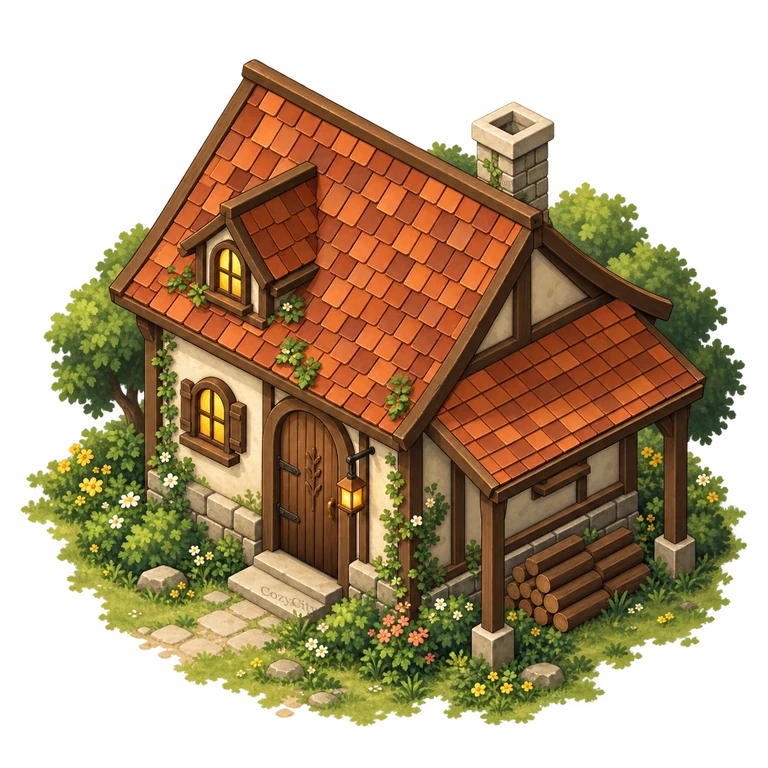
01 / Settle in
Your first evening starts with a home.
You begin with a Hearth, four residents and a small supply of timber, stone and food. The Hearth’s beds are temporary. Your first goal is a village that can house and feed itself.
Give people a permanent home.
Open Homes, choose a hut and place its preview on clear ground. Check the entrance, proposed path and material cost before choosing Build. A builder has to walk there and finish the job.
Get food coming in.
A Forager Shelter and Garden give suitable residents a place to produce food. Check the building details: a person assigned to a job still needs to arrive before they can work.
Keep materials coming in, too.
Add a Timber Workshop and leave room for more homes. The Stone Workshop becomes available at level 2 and can be built with timber, so you can recover even if your starting stone runs low.
Follow your village’s next step.
Open the guidance card and read Next steps. It can point you toward food, housing, repairs or a useful improvement. Inspect the suggested building to see its current needs and costs.

02 / Make room to grow
A bigger town starts with a healthier one.
New households need space in a completed permanent home and a steady food supply. Two spare beds, at least 20 food and a food balance that has not fallen over the last three minutes allow the next household arrival check to succeed. An unfinished house does not count.
Arrivals also need room within the village’s population capacity: 20 residents at the start, plus 20 for each completed graveyard connected to the Hearth. These are reserved burial spaces; villagers do not age or die in this version. Read the graveyard guide →
Levels unlock automatically when their conditions are met. The current game has five levels. Permanent housing, working residents and the condition of the town matter alongside population.
| Level | What your village needs |
|---|---|
| 1 First Light | Your starting settlement: the Hearth and four residents. |
| 2 Rooted Hamlet | At least 10 residents in total. Four residents in permanent homes and at least one completed food-production cycle. |
| 3 Lantern Village | At least 16 residents in total. Eight permanently housed residents, a food reserve of 10 per resident, and a completed Timber Workshop with staff at work. |
| 4 Sheltered Town | At least 24 residents in total. Twelve permanently housed residents and two staffed protection buildings. |
| 5 Woodland Haven | At least 40 residents in total. Twenty permanently housed residents, every household’s current comfort needs met, and a food balance that has not fallen over the last ten minutes. |
Improve a home, or build another?
Improve raises a home’s quality on the same plot. It does not add beds. Build another home when you need more space for residents; use improvements when households need more comfort. Changing a building’s Style changes its appearance, not its price or gameplay.
Once earned, a level stays unlocked. At level 5, you can keep shaping districts, maintaining buildings, improving homes and extending protection.
03 / Find the way
Place the building.
The path follows its door.
Homes and workplaces plan their own connection to the village’s existing path network. You do not have to draw a road to every new door.
Pick a plot and face the entrance.
Move or rotate the preview. Leave the doorway and the ground immediately outside it clear. Paths need room for their full width, not just a thin line between obstacles.
Read the proposed route.
The preview finds a valid route around buildings, fences and blocked ground to a path connected to the Hearth. Look for Path will be built and check where it joins the town.
Confirm when it fits.
The accepted placement saves the connector and starts normal construction. The automatic connection has no separate road charge. Villagers then use the actual connected paths to reach homes and jobs.
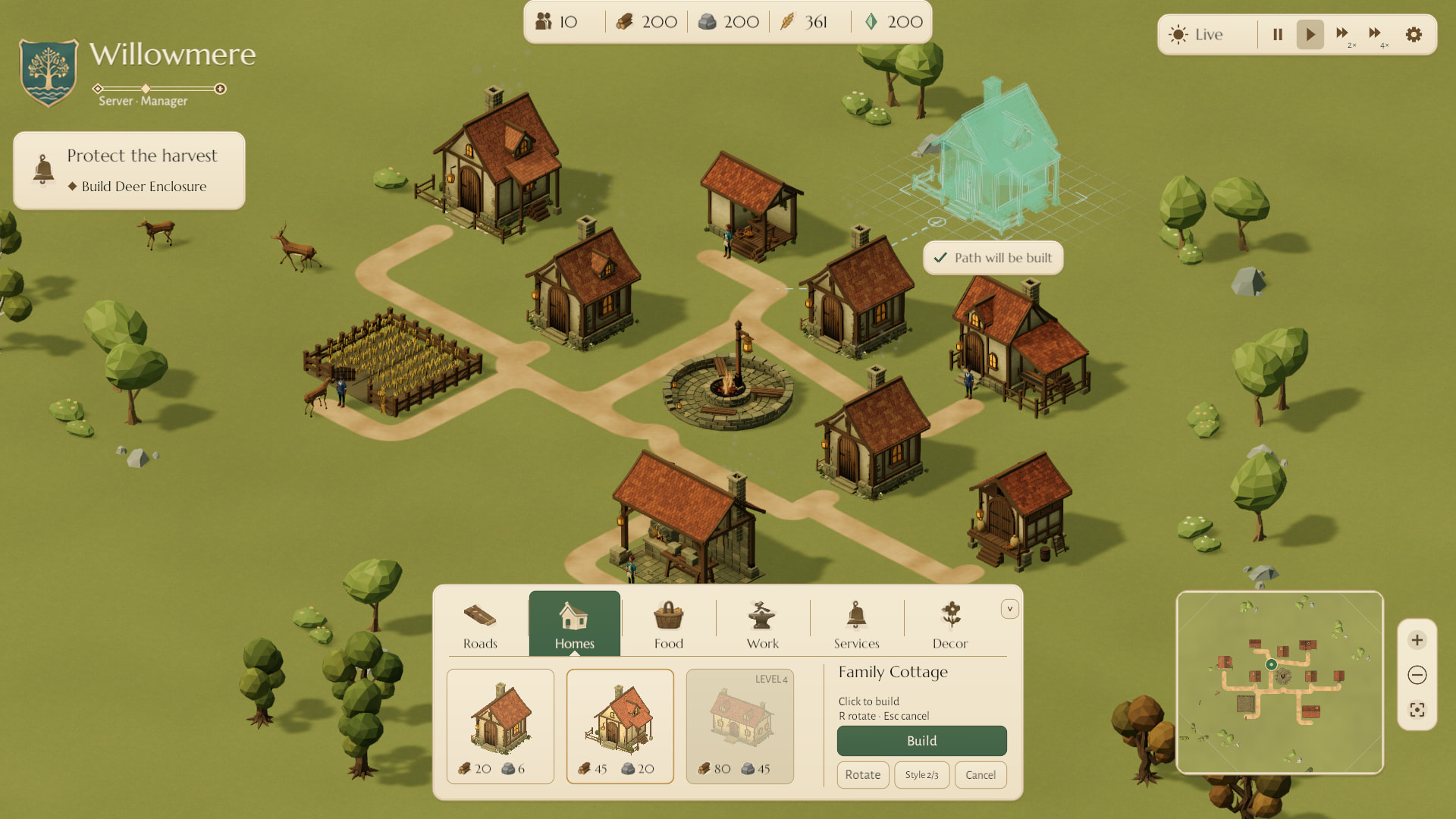
In the river update, water gets its own connected bank paths. See how river banks join the village, and why the water must leave existing entrances reachable.
What happens when you add a fence?
An enclosure can propose a local detour for an automatic path that crosses its fence. The preview shows the replacement route; the gate and existing building entrances must remain reachable. Review that change before building.

- A villager is using the path: let the journey finish, then request a fresh placement preview. Waiting does not automatically place or pay for the fence.
- A purchased road is in the way: automatic detours preserve roads you drew and paid for. Choose another valid fence position or gate orientation.
- There is no valid route: move or rotate the building and clear enough space around the entrance. The game will not accept a layout that strands another entrance.
The Roads tools let you build extra routes or remove an unused path stretch. Choose Remove Path, select a path, review the highlighted cells, then press Remove path. Removal has no cost or refund. To reroute, build a replacement connection first, then remove the old stretch. Paths that provide access or carry an active journey must stay until they are no longer needed. The Hearth path and river banks cannot be removed.
04 / Leave a light on
The village has a night shift.
A full in-game day currently lasts an hour. Ordinary residents head home between 22:00 and 06:00, after finishing their current journey, active job or production cycle. At dawn, they walk back to work.
Food is still consumed overnight. Most production pauses while residents sleep, and new construction jobs may wait for an available builder after dawn. Assigned watch wardens and ward keepers stay on night duty when they can do their jobs.
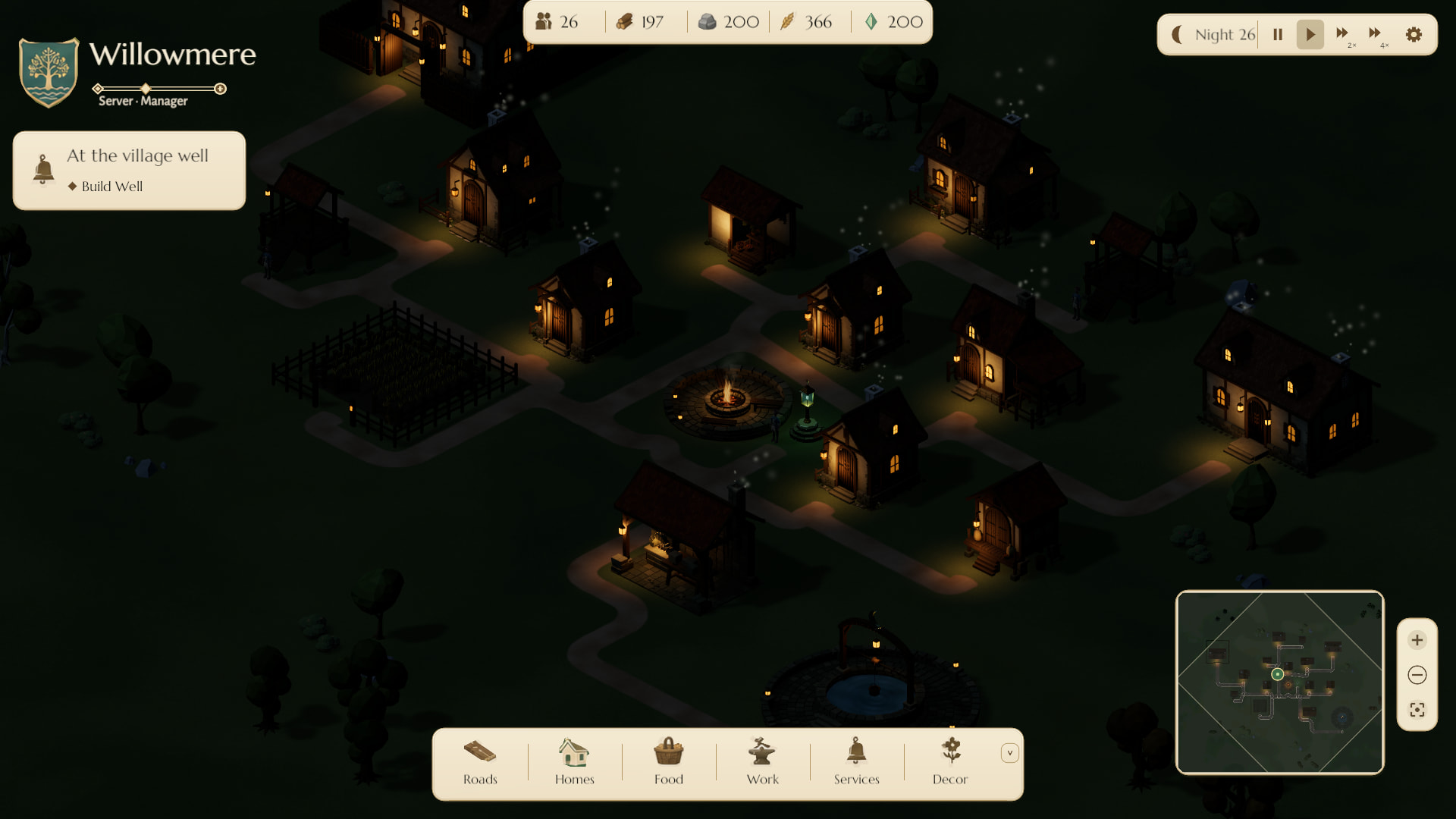
Your town continues to simulate while you close the game, as long as the game service is running normally. Reconnecting restores its saved state and clock; it does not start a new day or instantly finish every job.
05 / Care for what you built
A warm light needs someone to tend it.
Open Protection in the village guidance panel, then inspect the home or workplace you want to protect. Its Deer and Hostiles values tell you what coverage it actually receives.
- Deer Enclosures protect the crops they contain. A garden’s decorative fence or chosen style does not provide that protection on its own.
- Watch Platforms need an eligible warden who has arrived and is working. Assignment alone is not active coverage.
- Ward Lanterns need a connection back to the Hearth through the lantern network, an active keeper and essence for fuel. Nearby glow alone does not prove a building is protected.

06 / A little troubleshooting
Something holding up the village?
My new building is not producing anything.
Check that construction is complete, a suitable resident is assigned, and that resident has arrived and is working. Sleeping, travelling or sheltering residents cannot operate an ordinary workshop. Also check storage capacity, any required fuel and whether the building is being improved.
I have empty homes, but nobody is moving in.
A new household needs two available beds in a completed permanent home, at least 20 food, and a food balance that has not fallen over the previous three minutes. Arrivals happen on the village’s schedule, so meeting the conditions is not an instant population boost.
Arrivals also need room within the village’s population capacity: 20 residents at the start, plus 20 for each completed graveyard connected to the Hearth. These are reserved burial spaces; villagers do not age or die in this version. Read the graveyard guide →
My level is not increasing.
Compare your town with the level requirements. Count residents living in permanent homes, check food reserves and active staffing, and inspect household comfort. Placing the required building is only the beginning; it may still need construction or staff.
The game asks me to preview a placement again.
The town may have changed since the first preview. Wait for any pending action to resolve, then review a fresh preview and its cost. If the game is reconnecting, let it confirm the previous action before attempting the purchase again.
A fence will not fit around my garden.
Check the gate, nearby structures and purchased roads. An automatic route can sometimes move locally; a paid road cannot. If the message asks villagers to clear the route, wait for them and try a fresh preview. A completed garden cannot currently be moved to force the fence to fit.
Should I improve or repair a damaged home?
Repair restores its condition. Improve raises its tier and comfort. Read the building’s condition, household needs and quoted cost before choosing. Both use real builder jobs.
How do I describe a problem clearly?
Keep the exact message, the building or action involved, and the steps that led to it. Include whether it happened by day or night and a screenshot of the relevant panel. If the problem survives a normal reconnect, these details help explain what went wrong.
This helpdesk is the current gameplay guide. Check your in-game messages and previews for the latest costs and availability.